CAD on the GPU
Tracing NumPy into WGSL: CAD geometry on the GPU
LeonSim’s car geometry is plain NumPy. Instead of porting it to a shader language, we run it once on tracer objects that record every operation and emit a WGSL kernel. Grid set-up went from 53 s to 2 s.
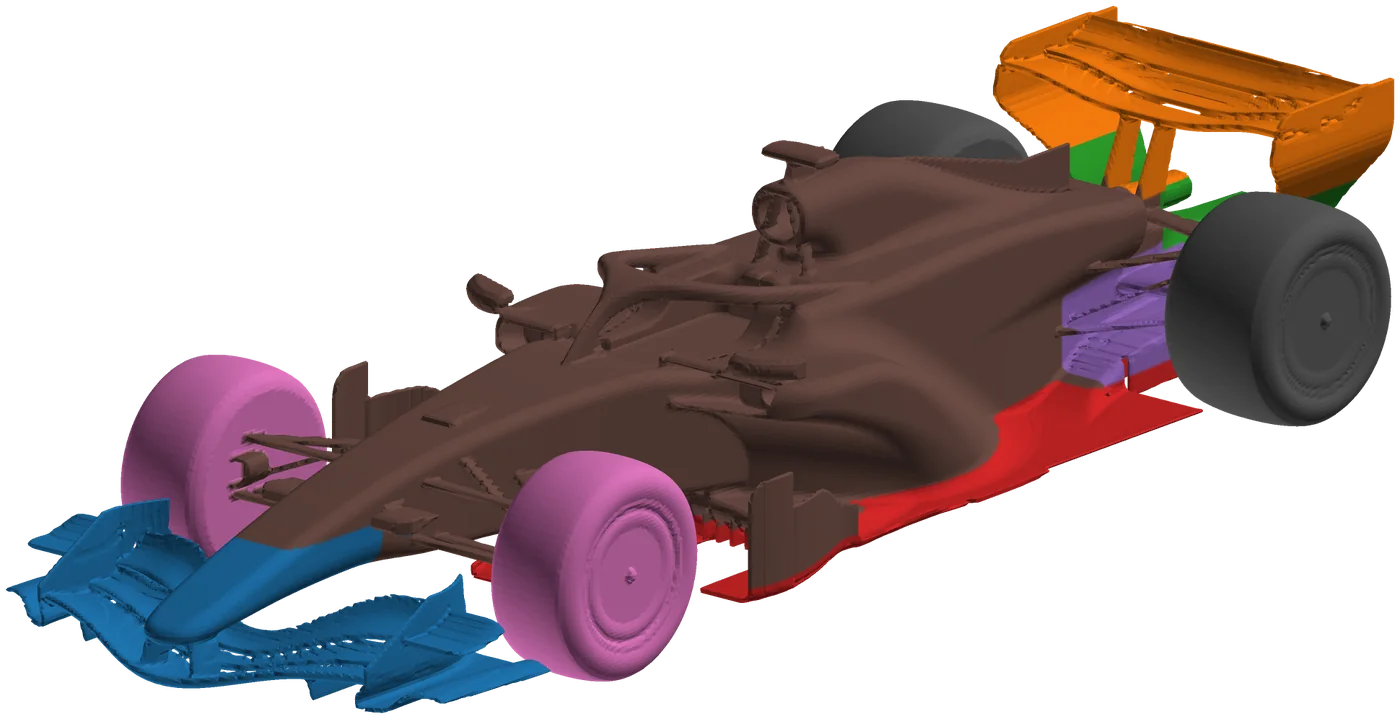
Everything in LeonSim’s CFD starts from a signed-distance function (SDF): a function that returns, for any point, its distance to the car’s surface, negative inside. The cut-cell grid builder samples it to decide which cells are solid, which are cut, and how much of each face is open to the flow. For an F1 car on the medium grid that means tens of millions of evaluations of a function made of hundreds of parts.
Those functions are written in NumPy, on purpose. A wing section is a polygon, a camber line is np.interp over a table, a sidepod is a smooth blend of boxes, an imported STL is a sampled distance field with trilinear interpolation. NumPy keeps them easy to read, test and change. It also kept them on the CPU: on an H100 the grid set-up took 53 s, against 14 s for the whole solver.
The idea: run the NumPy code once on symbols
NumPy lets any object take part in its operations through two hooks, __array_ufunc__ (for np.sin, np.maximum, + and the rest) and __array_function__ (for np.where, np.clip, np.interp…). We call the SDF once with three tracer objects in place of the coordinate arrays. Each operation the code performs on them creates a new tracer and appends one line of WGSL. What comes out is the function’s computation, unrolled into straight-line shader code.
Take a toy wing: a cambered slab, written as you would in NumPy.
def wing(x, y, z):
    camber = 0.04 * np.sin(np.pi * np.clip(x / 0.5, 0, 1))
    d = np.maximum(np.abs(z - camber) - 0.01, np.abs(y) - 0.4)
    return np.maximum(d, np.abs(x - 0.25) - 0.25)
Tracing it gives this WGSL. It is not edited, apart from shortened float literals:
fn fn0(x: f32, y: f32, z: f32) -> f32 {
    let v1: f32 = (x / f32(0.5));
    let v2: f32 = clamp(v1, f32(0.0), f32(1.0));
    let v3: f32 = (f32(3.1415927) * v2);
    let v4: f32 = sin(v3);
    let v5: f32 = (f32(0.04) * v4);
    let v6: f32 = (z - v5);
    let v7: f32 = abs(v6);
    let v8: f32 = (v7 - f32(0.01));
    let v9: f32 = abs(y);
    let v10: f32 = (v9 - f32(0.4));
    let v11: f32 = max(v8, v10);
    let v12: f32 = (x - f32(0.25));
    let v13: f32 = abs(v12);
    let v14: f32 = (v13 - f32(0.25));
    let v15: f32 = max(v11, v14);
    return v15;
}
A one-line main reads point i from a buffer, calls the function and writes the distance. The same CAD source now runs on NumPy for small queries and on the GPU for big ones.
The parts that are not straight-line code
Real geometry has a few constructs that a plain trace would get wrong or make huge. Each has a traced form, chosen by the helper itself when it sees a tracer argument:
- Bounding boxes.
bounded(F, lo, hi, margin)evaluates a part only near its box, the distance to the box elsewhere. On the CPU that is a mask; traced, it becomes a real WGSLif, so a thread far from the rear wing never computes the rear wing. - Re-normalised parts.
normalized(F)divides a part by its gradient magnitude, from six extra evaluations. Traced, the part becomes its own WGSL function called at the seven points, instead of seven inlined copies. - Tables. Polygons (wing sections, floor outlines) and
np.interpover profile tables become loops over a constant buffer instead of thousands of unrolled operations. - Imported meshes. An STL car is a sampled distance field. Traced, its lookup is a trilinear interpolation in the constant buffer. The car and all its components are traced together so they share one upload of the field.
Anything the tracer cannot follow (data-dependent Python control flow, an unsupported NumPy call) raises during tracing, and the function stays on NumPy. The reason is kept on the object (GpuSDF.why), so a fallback is visible, not silent.
Using it
from leonsim.cad.f1 import f1_car
from leonsim.gpu.sdf_jit import accelerate

car = accelerate(f1_car())     # car.sdf and every car.parts[...] now evaluate large point sets on the GPU
d = car.sdf(x, y, z)           # same call, same result (float32), any array shape
This is the default for leonsim aero f1 --backend gpu. LEONSIM_GPU_GEOMETRY=0 turns it off. The wrapped callables keep the NumPy path for fewer than 4096 points, where a GPU round trip costs more than it saves. Points go to the device in chunks of 4 M.
Is it the same geometry?
The GPU evaluates in float32 and NumPy in float64, so “same” needs a definition that matters for the flow. Test S27.6 samples 400 000 random points around the parametric car and compares the car and each part with NumPy within 2 cm of the surface. 99.99 % of them agree to 1e-5 m. It then builds the coarse F1 cut-cell grid both ways: no solid cell differs, at most 1e-5 of the face apertures differ by more than 1e-3, and the wall area agrees to 1e-4.
What it bought
| grid and cut-cell set-up | NumPy | traced, on the GPU |
|---|---|---|
| Parametric F1 car, medium (2.5 M cells), H100 host | 53 s | 2 s |
| Parametric F1 car, medium, Radeon 680M mini PC | 45 s | 1 s |
| 2026 car from STL, medium (4.3 M cells), Radeon 680M | 34.5 s | 3.5 s |
For an aero map of dozens of ride-height and wing-angle points, the set-up was a minute per point. Now it is a few seconds, and the GPU iterations are what is left.
Code: leonsim/gpu/sdf_jit.py (tracer and code generator), crates/leonsim-core/src/gpu/points.rs (the point-evaluation device with a shared constant buffer), traced hooks in leonsim/cad/bodies.py and leonsim/cad/meshsdf.py.